Just a moment

Scalable Design for a
Modular B2B Web Platform

Empowering teams to launch campaigns independently and boost sign-up conversion by 51.7%
Summary
Role & Team
1 Designer(Me), 1 QA,
1 Product manager, 1 Developer,
Marketing Team
Scope
Product strategy, 10+ UI pages and 10+ CMS pages (mobile + desktop), UX, content, branding, design system
Challenge
How might we enable the marketing team to launch campaigns independently while improving scalability and sign-up conversion?
Key Tools
Figma
Webflow
CMS
Process
Discovery
Understand Product
Problems & Data & Inspirations
Define
Clarify Scope & Product Area Shape UI/UX Solution
Collaborating with stakeholders
Design
Build Prototypes
Negotiate Trade-offs
QA Testing
Iterate with Feedback
Deliver
UI, UX, Content, Branding, Design System, Loom Video
Timeline · 3 months from discovery to design handoff

background

What is Church Online Platform?

Church Online Platform (CHOP) is a B2B SaaS product that provides streaming and content management tools to churches worldwide. Think of it like this:
Similar to: Vimeo + WordPress + Mailchimp, but specifically for churches.
Scale: Serves 3,000+ church organizations globally.
Each church: Has its own account, multiple users, custom branding.

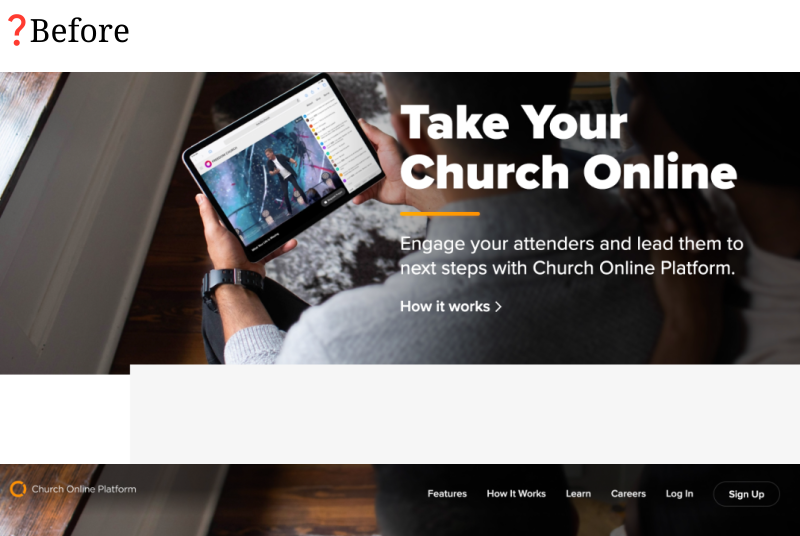
While the product served churches globally, its own marketing website lagged behind. Pages were difficult to update, the visuals felt outdated, and the conversion rate hovered around 15%.

Business Challenges

I had to design for all three groups (Church leaders, Church admins, and Internal Stakeholders) simultaneously—the decision-maker who evaluates the platform, the manager who runs it, and the content creators who use it every day. Each has different needs, but all must be satisfied for the platform to succeed.

Low adoption rate
Church leaders were evaluating CHOP but not converting to customers
Difficult content updates
Even simple changes required developers, delaying marketing efforts.
Outdated look
The visual design felt cluttered and lacked hierarchy.

rESEARCH & INSIGHTS

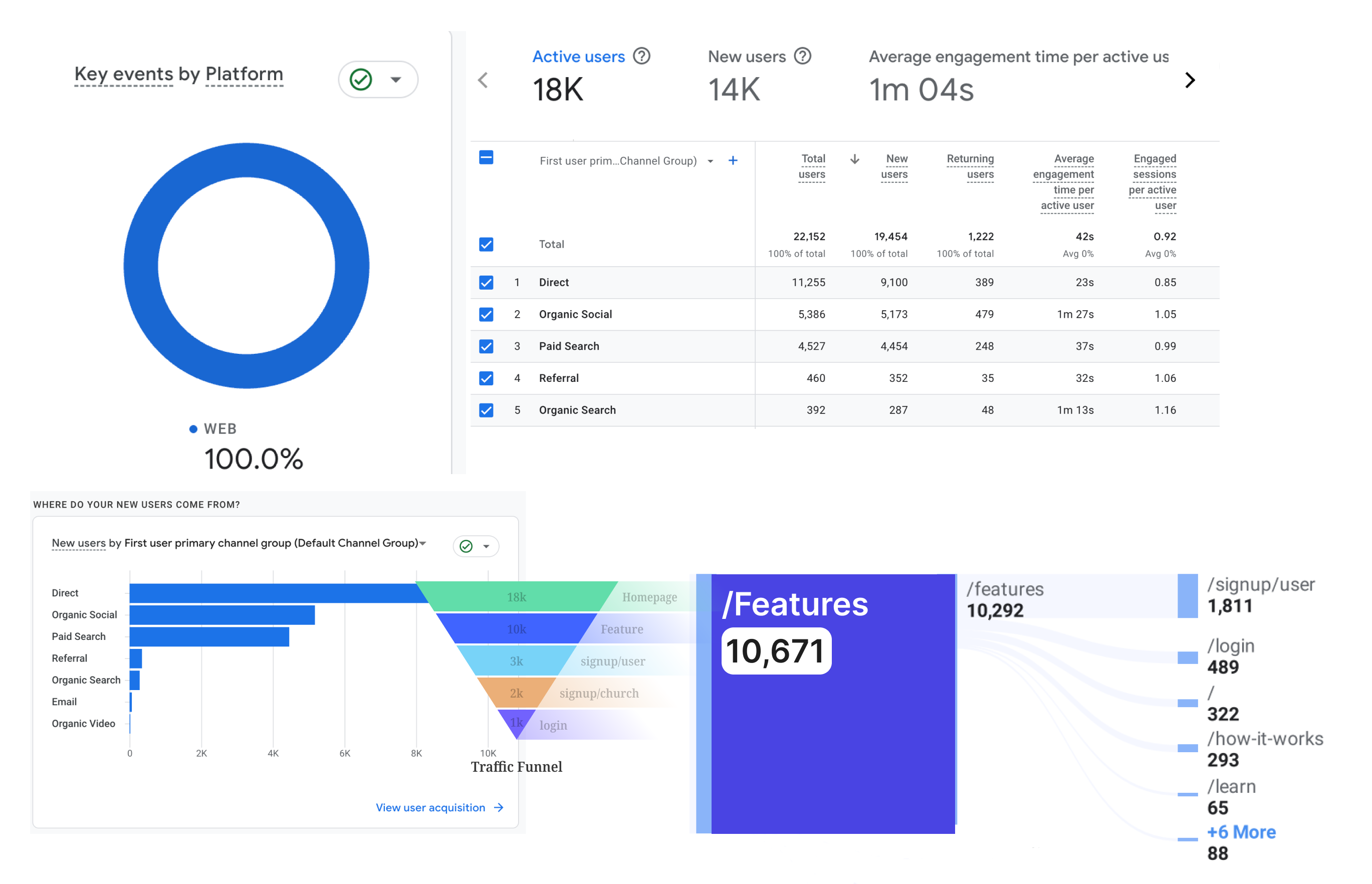
GA

15%
signup conversion rate
46.7%
new users come directly
17.5%
click the feature before signing up

Stakeholders Interviews

Conducted with 5 stakeholders to identify pain points:
✅ Admins/Content Creators needed faster content updates for seasonal campaigns
✅ Church leaders wanted clearer explanations of platform features

Competitive Analysis Highlights

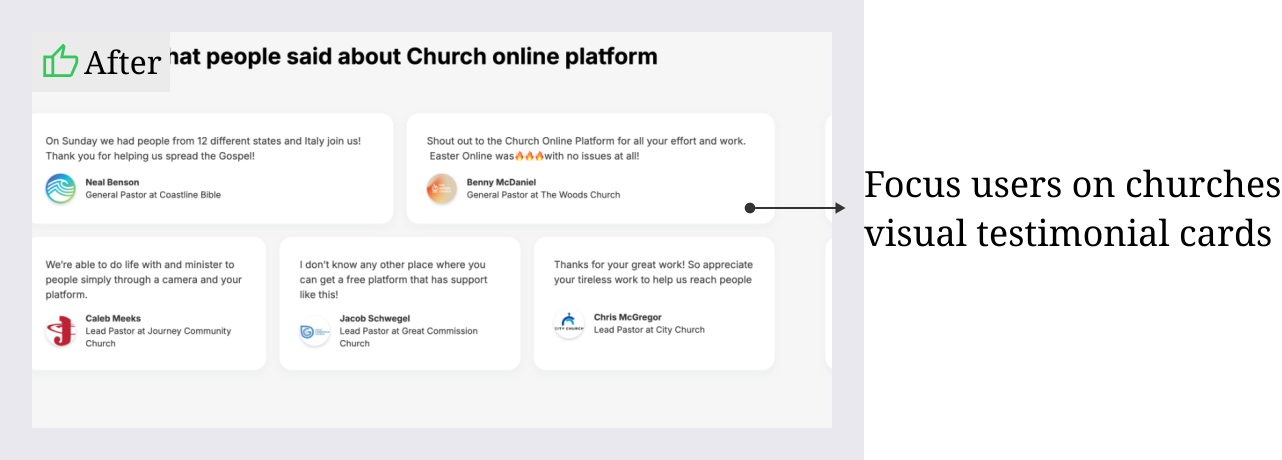
Trust-building elements like testimonials and recognizable clients matter
Clear CTA placement (hero sections, repeated through flow)
Use of modular, clean layouts improves usability and page speed

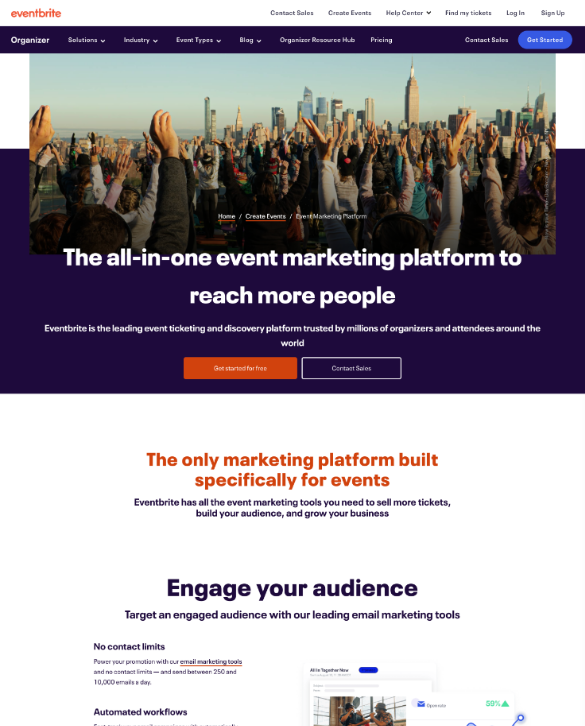
Competitive audits showed that platforms like Mailchimp and Eventbrite used modular layouts, strong social proof, and focused CTAs—three principles I wanted to integrate

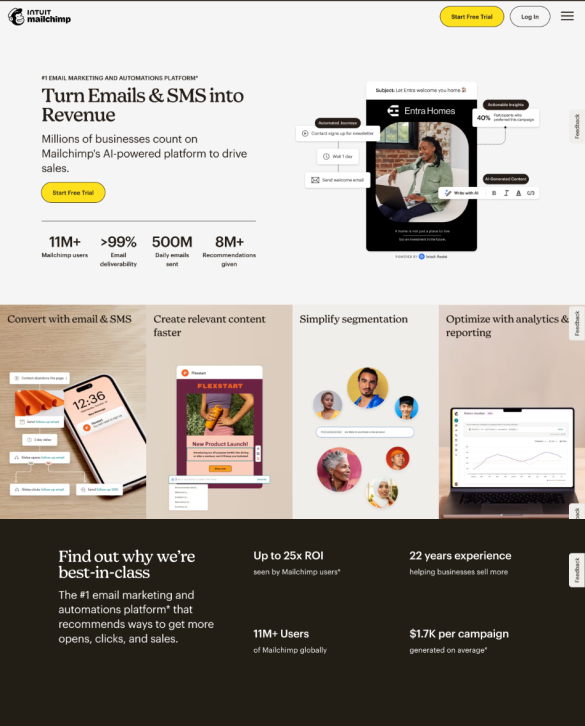
Mailchimp is a comprehensive email marketing platform designed for businesses of all sizes.
Pros
  • Clean and modern layout with easy navigation
  • Strong emphasis on branding and clear calls to action.
  • Effective use of illustrations to make technical topics approachable.
Cons
  • Complexity for new users
  • Feature-Heavy but Not Task-Focused
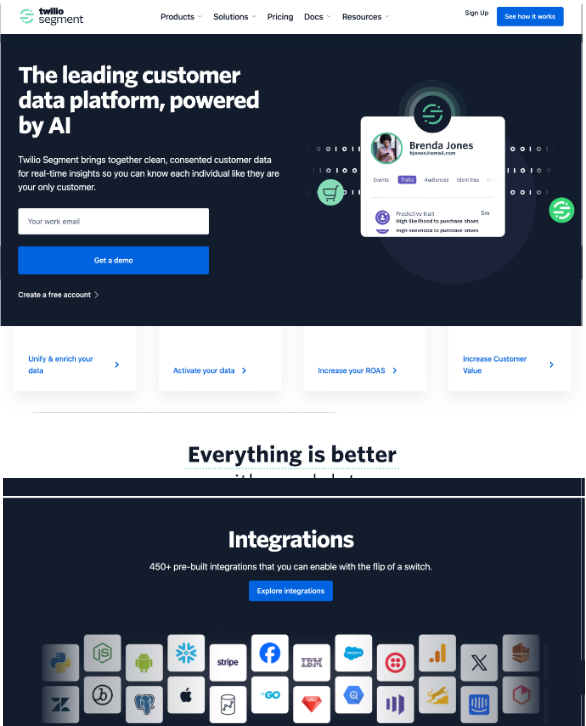
Twilio Segment is a comprehensive email marketing platform designed for businesses of all sizes.
Pros
  • Clear design and straightforward workflows, how users will use it.
Cons
  • Highly amount of technical jargon and feature descriptions
  • Overwhelming amount of information
  • Limited visual engagement
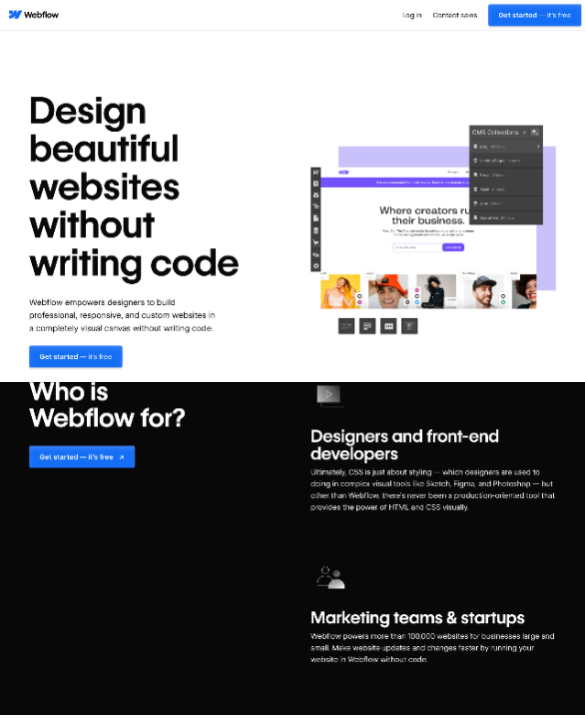
Webflow is a visual web design and no-code development platform for building and hosting websites.
Pros
  • Effective use of animations
  • Show current companies/users for trust building
  • Clearly indicate target users
Cons
  • Long page for users to scroll
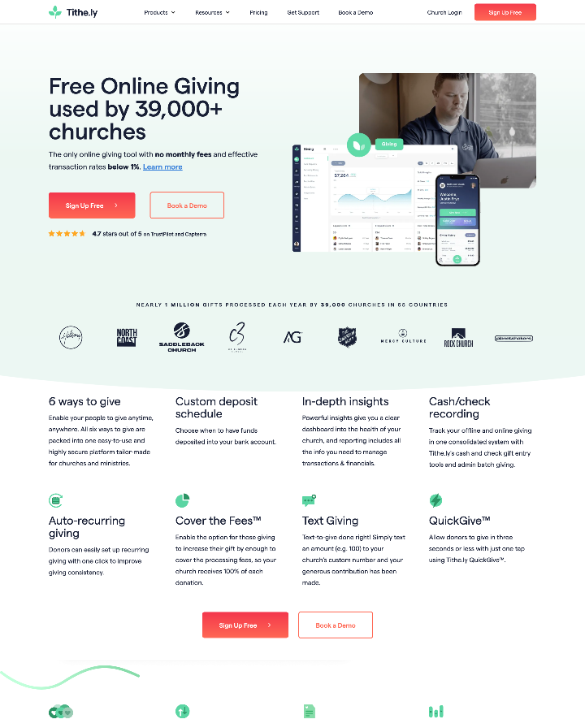
Tithe.ly is a digital platform designed to help churches, ministries, and non-profits manage donations and engage with their communities.
Pros
  • Prominent feature display
  • Leveraged church affiliations for trust
  • Implement obvious Call-to-action buttons for sign-up
Cons
  • Lacks creative storytelling elements that could inspire deeper engagement
Eventbrite is an online event management and ticketing platform that allows users to create, promote, and manage events.
Pros
  • Effective use of visuals
  • CTAs (calls-to-action) like "Get Started" are prominently displayed and strategically placed to drive conversions
Cons
  • Personalization (The design is generic and lacks emotional appeal for niche audiences)
How might we empower the marketing team to launch campaigns independently, while improving scalability and conversion performance?

Design

The solution

With research insights in mind, I structured the redesign around three pillars:
1. Modularity 2. Clarity 3. Credibility

Modularity
Build a flexible content system that marketing could update without developers.
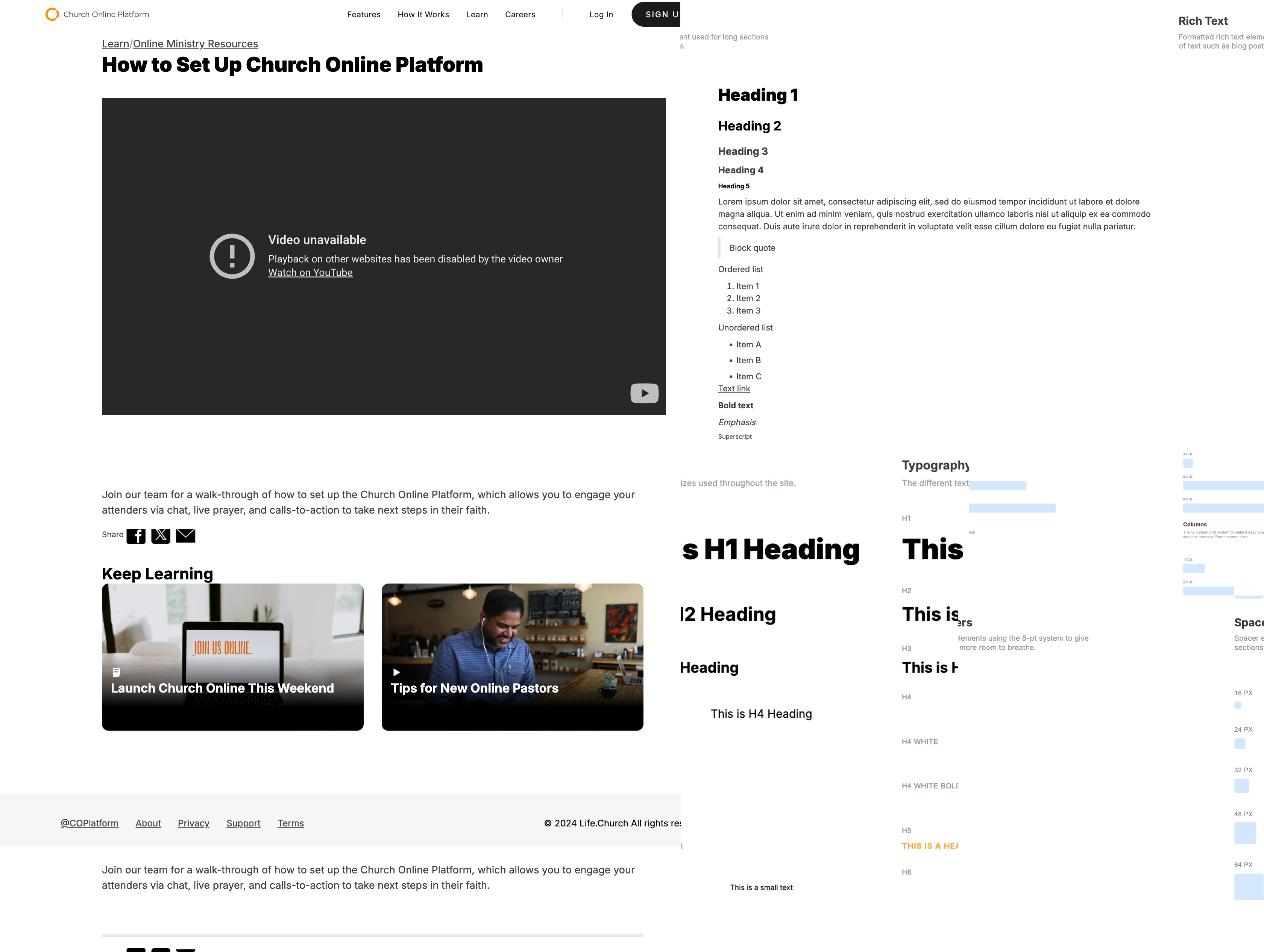
Clarity
Streamline layouts to guide users toward key actions.
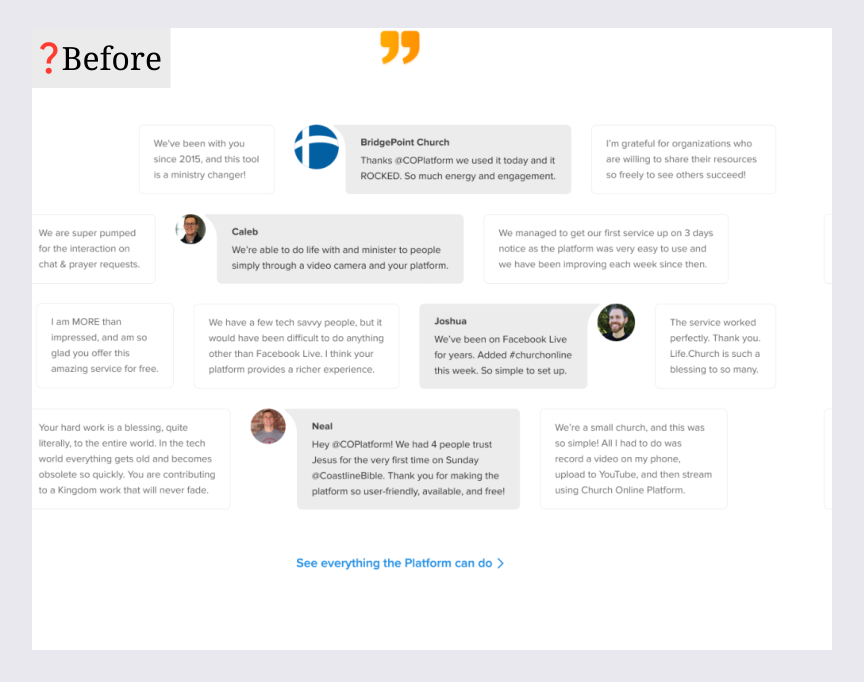
Credibility
Use social proof and brand alignment to build trust.

Modularity: Build a flexible content system that marketing could update without developers.

Clarity: Streamline layouts to guide users toward key actions.
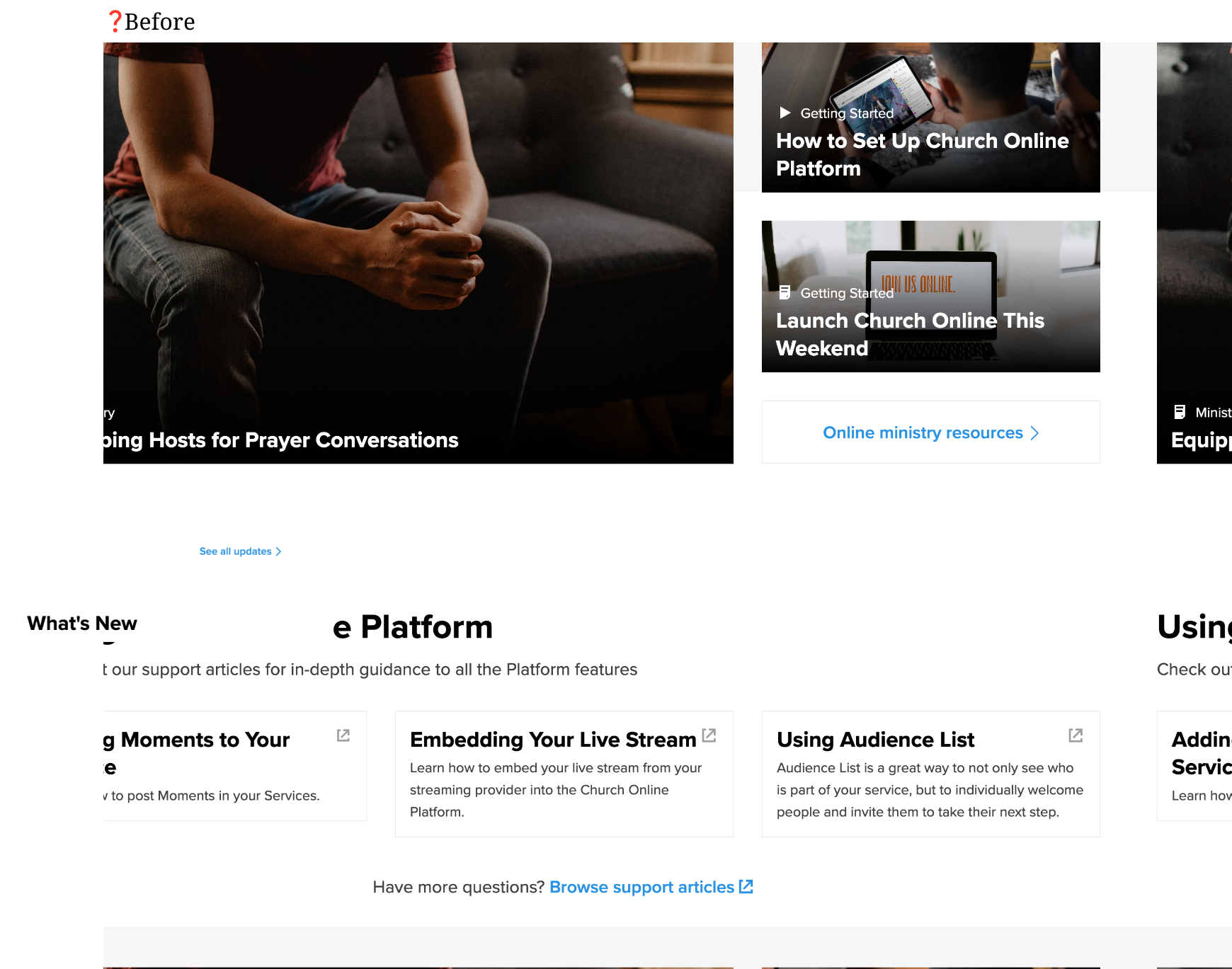
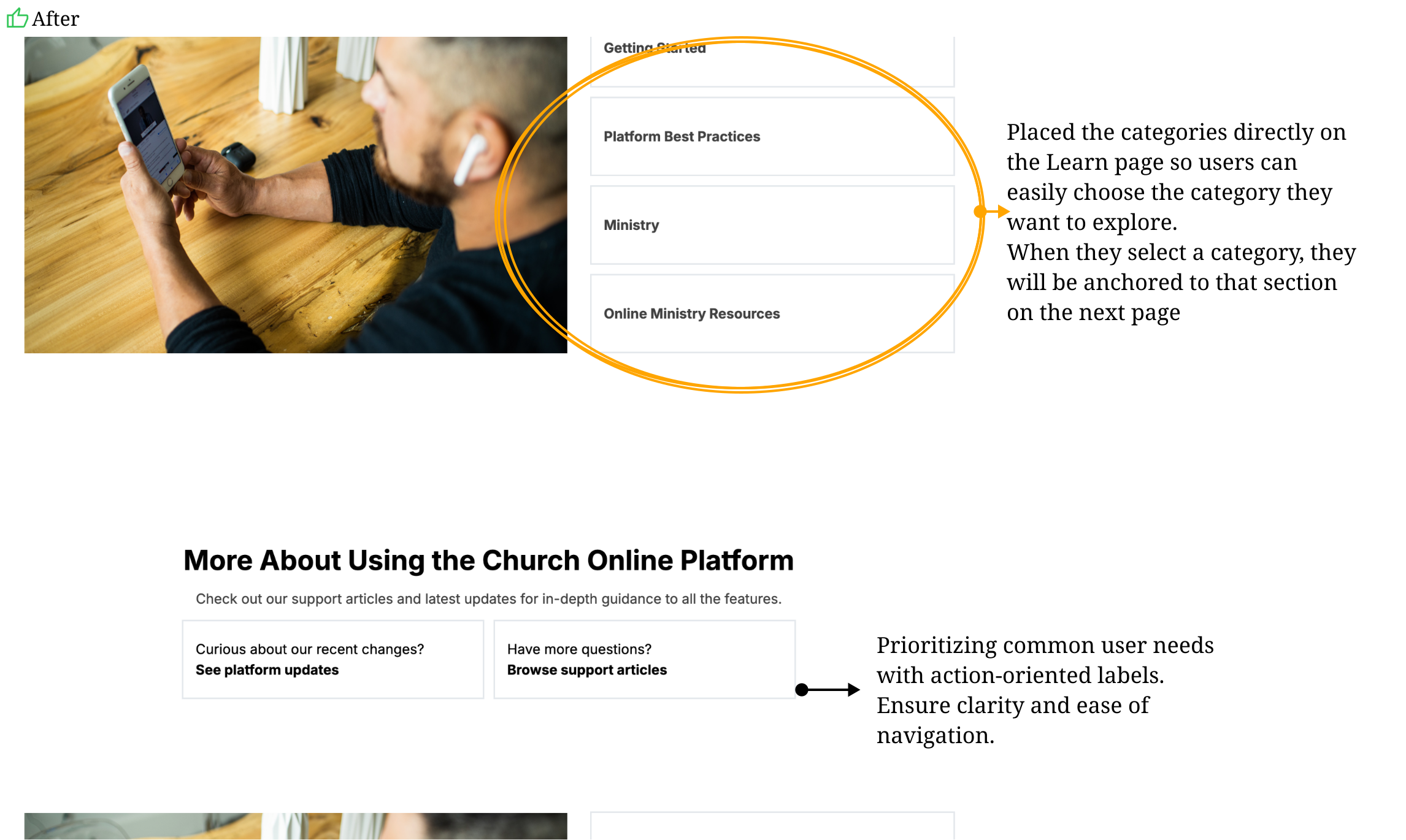
Credibility: Use social proof and brand alignment to build trust.
Webflow CMS Upgrade:
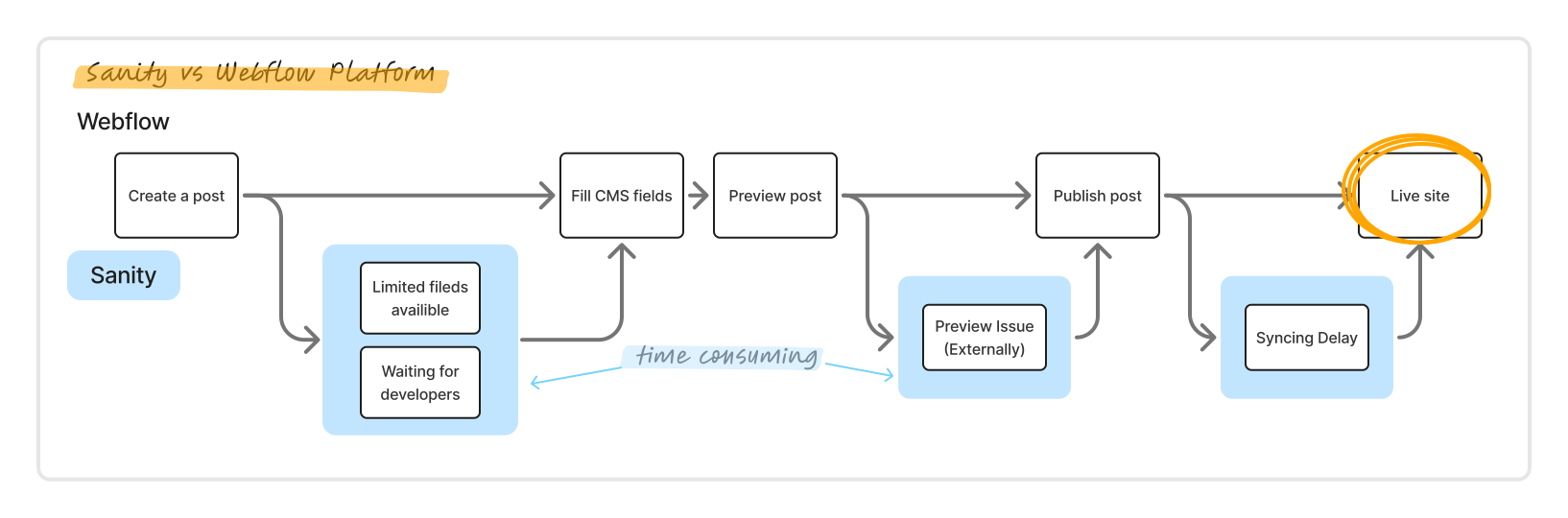
  • Replaced Sanity with Webflow for better customization
  • Enabled faster content iteration and custom field management

challenges

UX Challenges & Design Decisions

Stakeholder Misalignment: Marketing pushed for excessive CTA density across pages
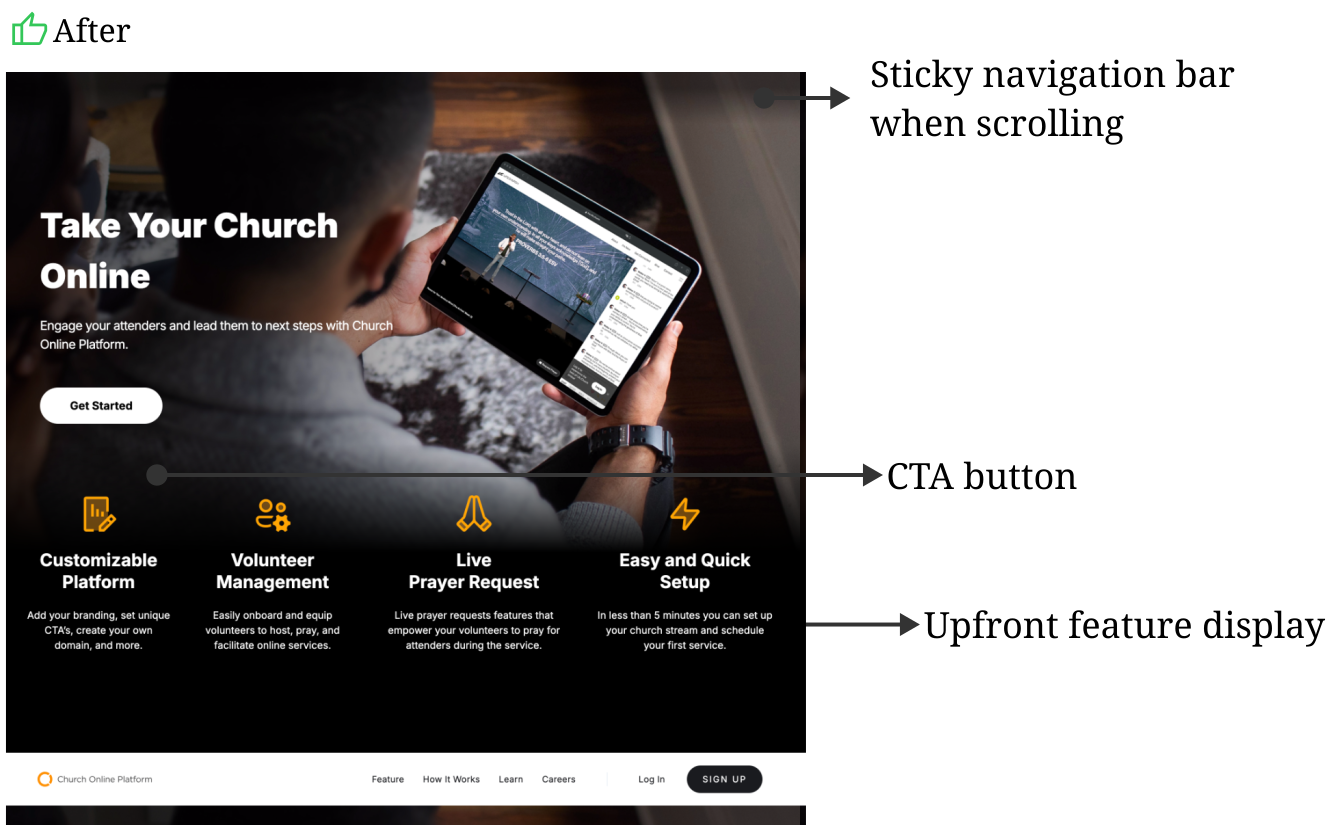
Solution ✅: Sticky header with persistent CTA during scroll to maintain visibility without clutter. This gave marketing constant CTA exposure at every scroll position, so pages no longer needed multiple scattered CTAs to achieve the same visibility.

Results

Impact & Deliverables

📉 Content Update Efficiency: Reduced update time from 2 days to <4 hours (QA tested)
📈
After-Launch Sign-Up Rates: The conversion rate increased by 51.7% Q1 2025 (Compared to Q4 2024)
🔎 User Behavior Tracking: Used Hotjar heatmaps to monitor bounce rates and refine key pages.
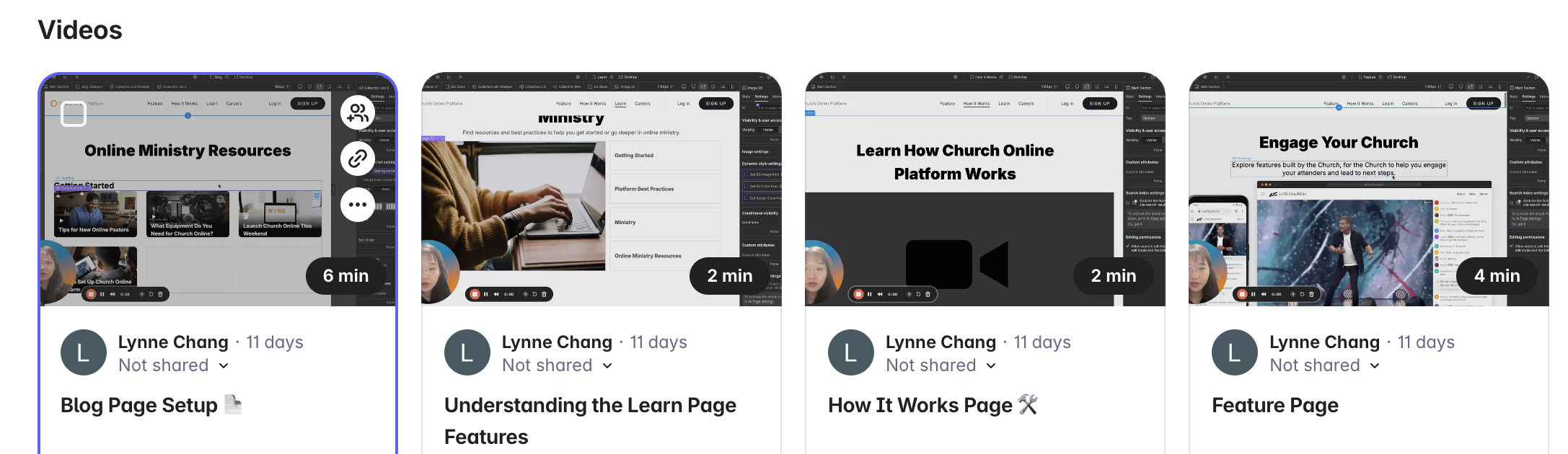
📹 Handoff: Created Loom tutorials to help stakeholders manage content independently.
LESSONS LEARNED

What I Learned

Stakeholder Alignment: Regular syncs helped manage scope and expectations
Designing for Scalability: Prioritized modularity and maintainability over pixel-perfect visuals due to Webflow constraints

thank you

That's the Story So Far

Thanks for reading! If you're curious about my other work, check out "WORKS" — or feel free to reach out anytime.

Back to top