Recording was easy. Finding, verifying, and reusing what mattered was not.

A fast summary has limited value if users cannot verify its source or correct errors before reuse.
Move from audio to reviewed, structured information without losing source context.
Target Users: Startup founders, students, busy professionals (UX Researchers, Reporters)
Methods: 4 interviews, 12 survey responses
• Make processing status visible
• Keep AI output connected to timestamps
• Support correction before reuse
• Provide clear recovery paths
• Fit existing knowledge workflows
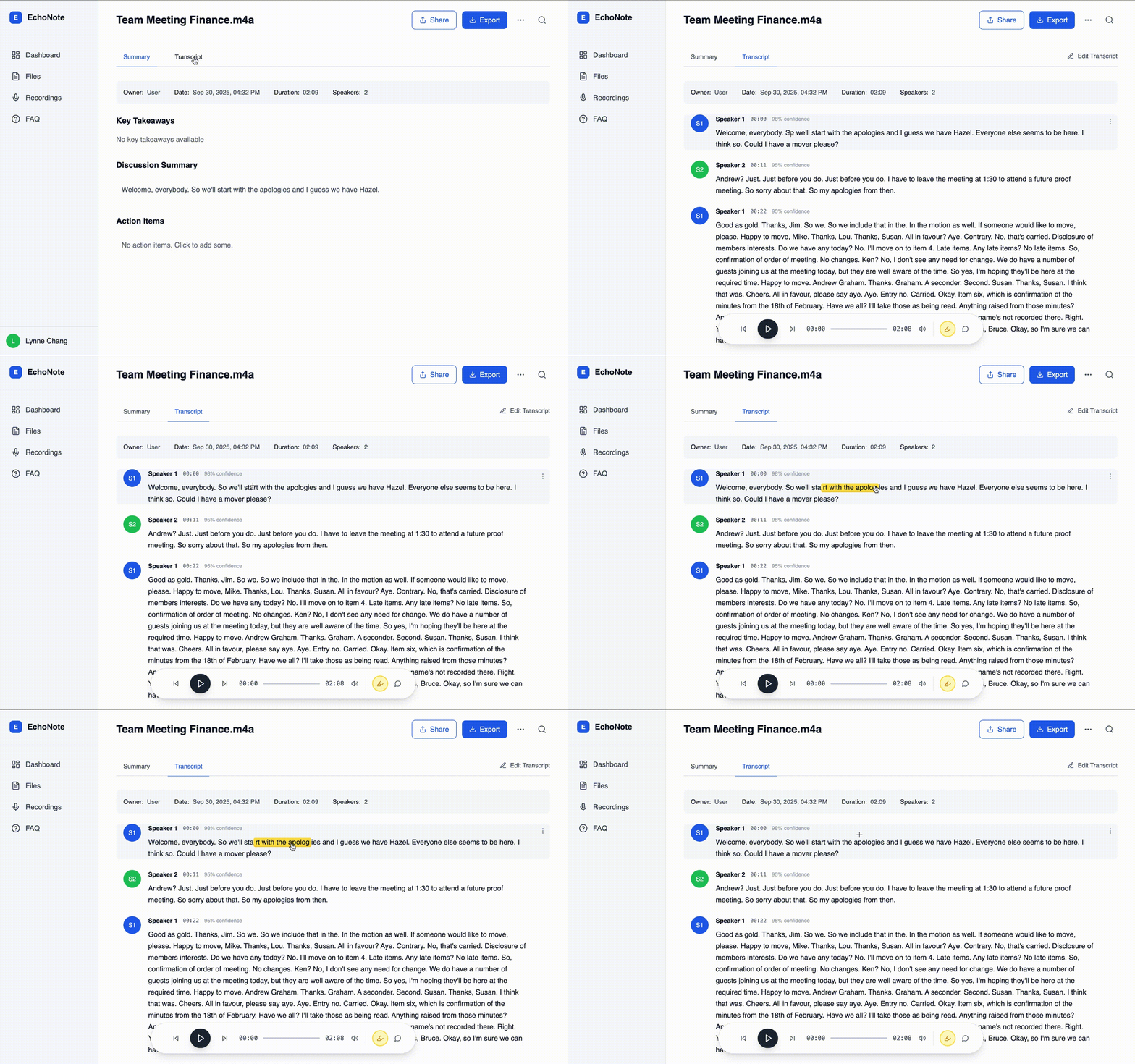
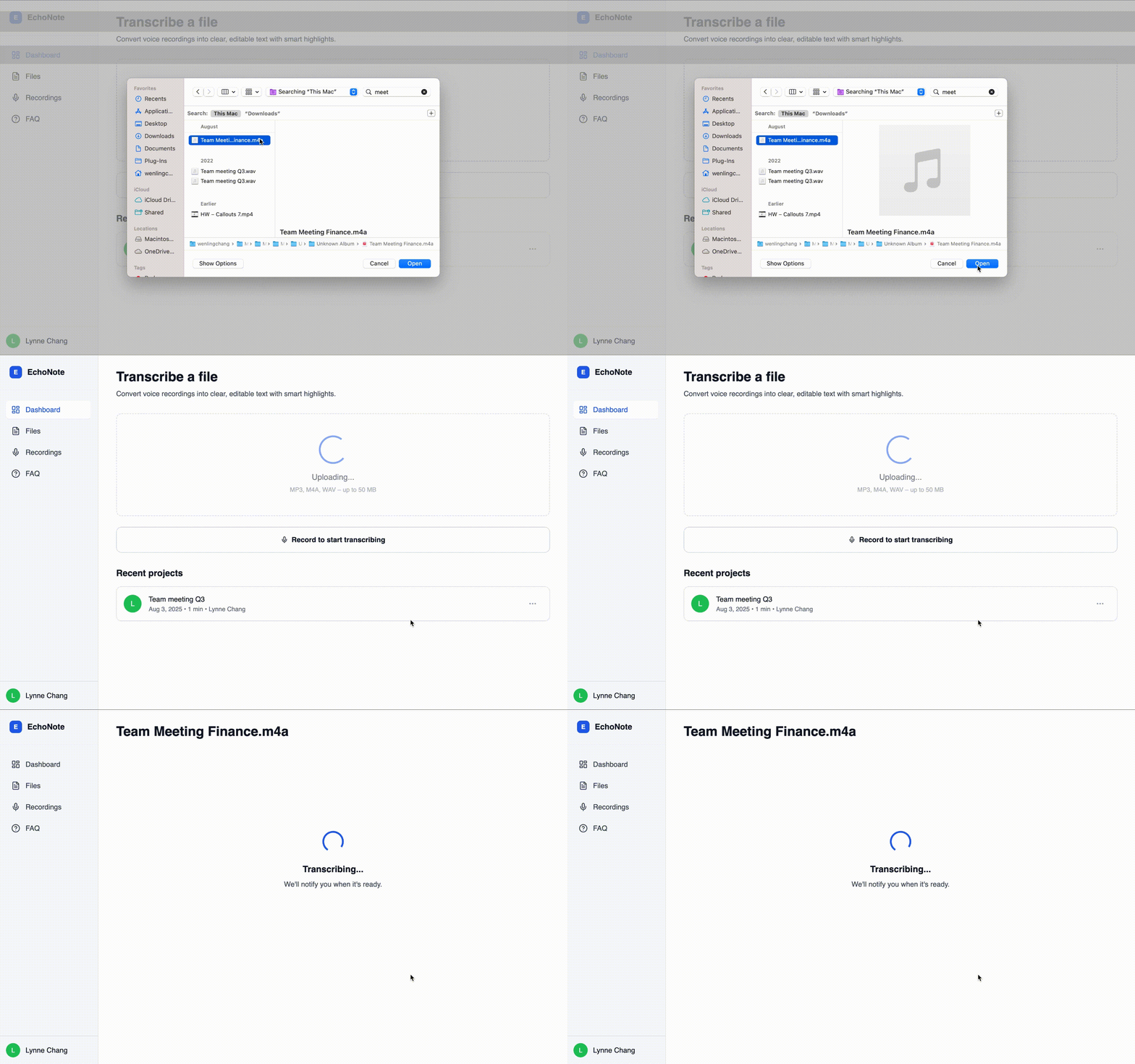
Before I designed a single polished screen, I wanted to know what I was really building, so I started in Figma with low-fidelity, mobile-first wireframes and mapped the whole loop: upload, transcribe, edit, summarize, export. The first real fork was the transcription API. If money were no object I would have chosen Whisper, but cost ruled it out, so I planned around what I could actually run. To test the flow quickly I tried Lovable and Bolt, then settled on v0 for an interactive click-through I could walk like a user. Since the real transcription wasn't built yet, I mocked it with local JSON responses, so I was reacting to realistic data instead of placeholder text. Everything after that, the layout and interactions, I refined from early feedback on how the flow felt to use.
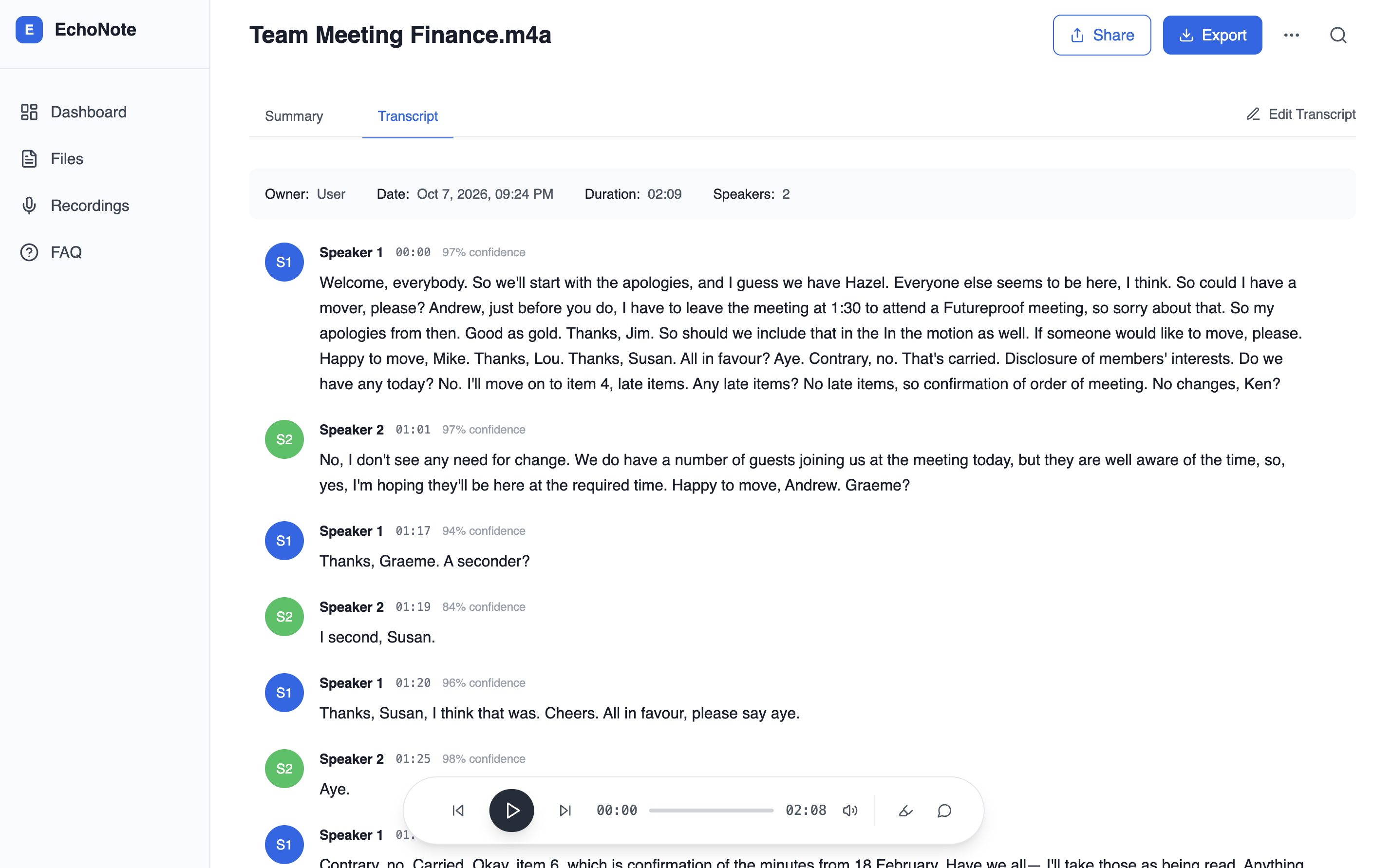
83% of survey respondents wanted searchable text rather than audio replay, and 75% wanted summaries. Those two wants pull apart: a summary is quick to read, but it asks you to trust what the AI heard. I made the transcript the foundation and built every summary, highlight and action item on top of it, so a reader can always check a claim against the original words. A polished summary alone would have been faster to build and impossible to verify.
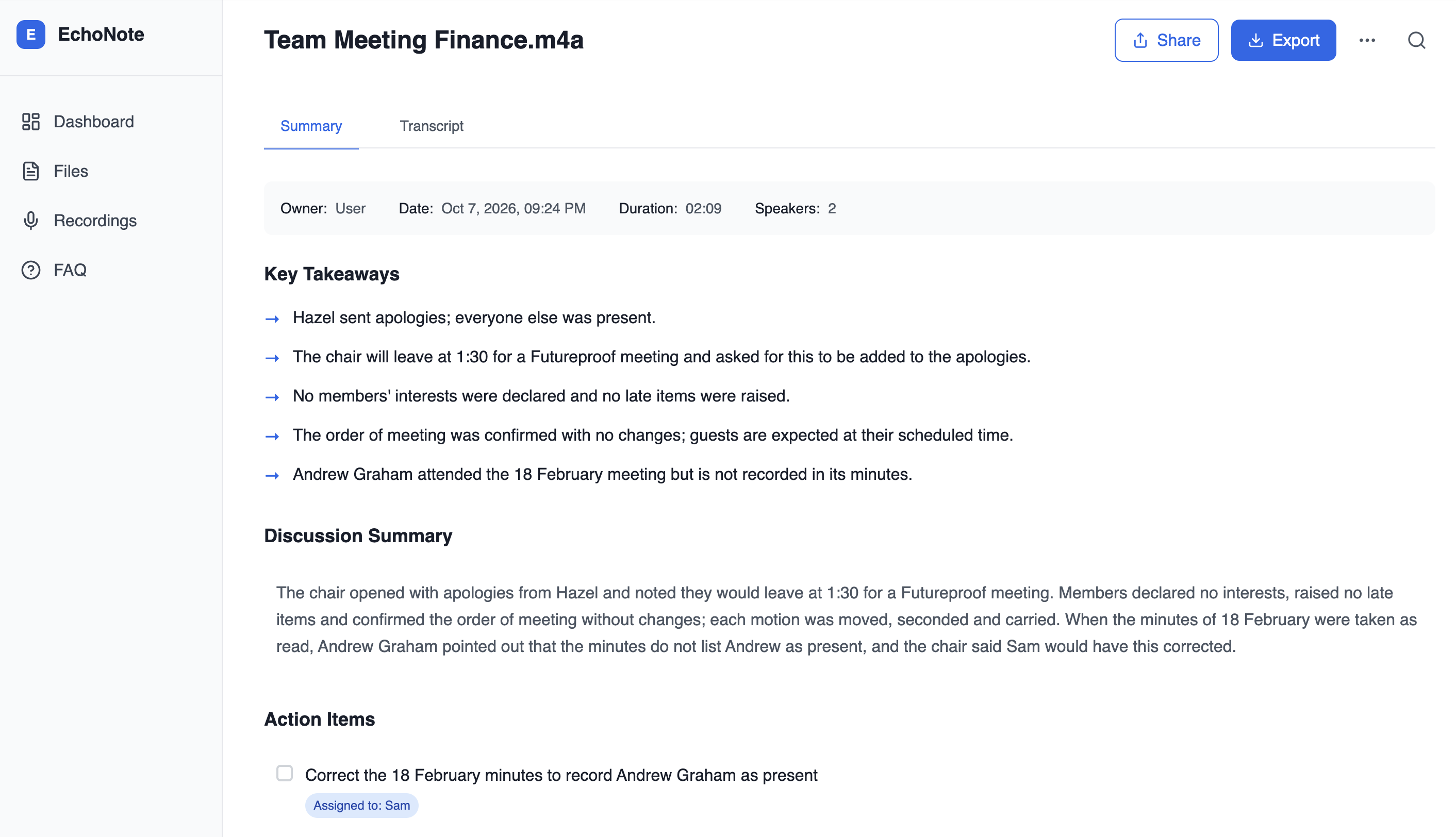
I kept the summary logic simple (paragraph segmentation and keyword detection rather than a cleverer model) and put the effort into traceability. Every highlight carries the timestamp of the moment it came from, so one tap takes you back to the audio to check it. A smarter summary you can't verify only makes a wrong answer more convincing. A modest one you can check earns trust.
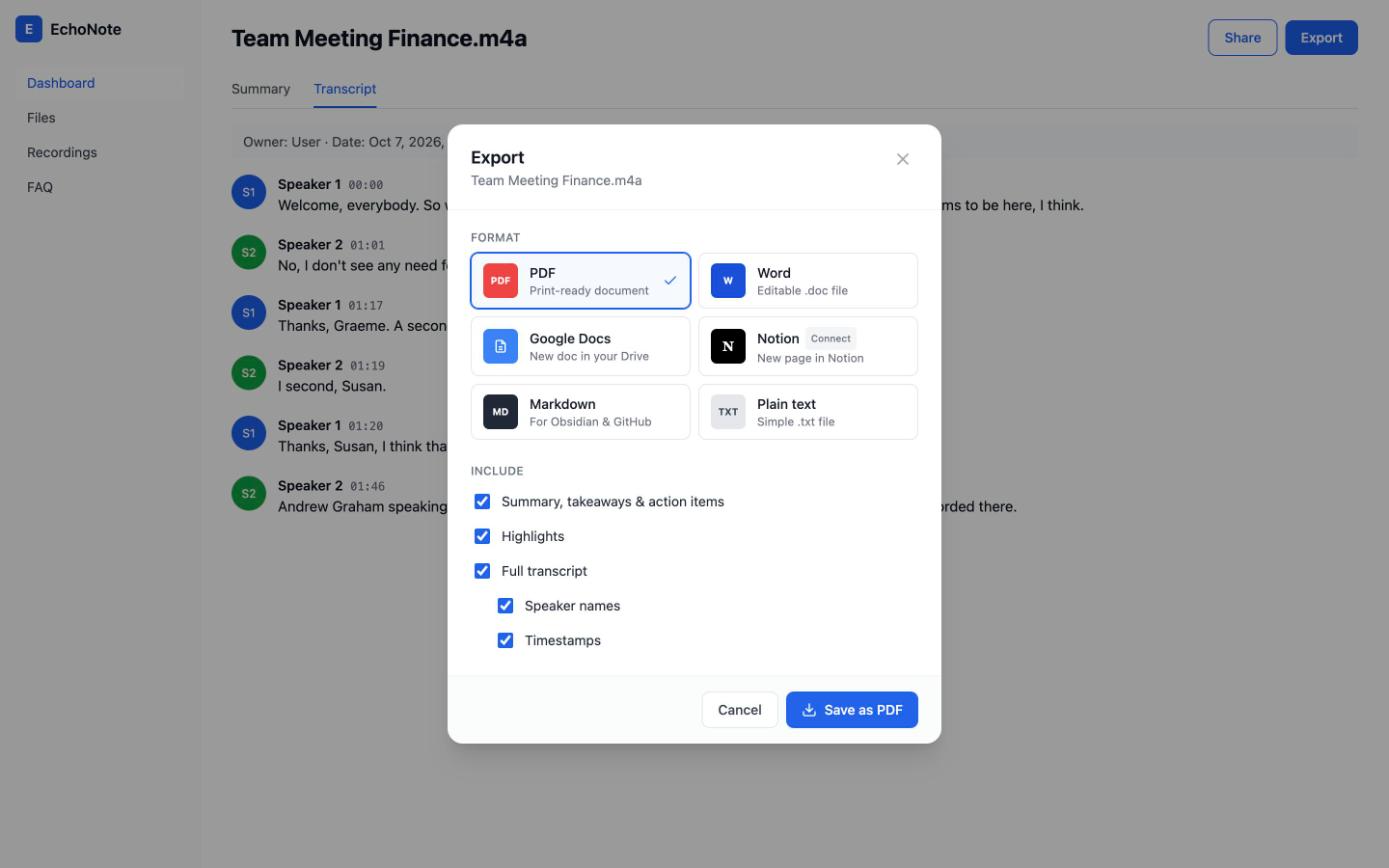
Export is the point where a mistake leaves the app. A wrong name or number is easy to fix inside EchoNote, but once it lands in a Notion page, a Google Doc or a PDF someone else reads, it is much harder to find. So the export modal puts a pause between "done editing" and "sent". In this version the modal is built and the export itself isn't connected yet.
By the time the core flows worked, I knew "it works" was the easy part. So I put EchoNote in front of five early users in quick feedback sessions and tested the flows that mattered most. One request came up again and again: three of the five asked to edit the transcript. They didn't want to just read what the AI heard. They wanted to correct it. Correction was already on my requirements list, but their feedback moved it from “later” to the next thing I built. I extended it across notes, summary, action items and transcript. I also tightened the spacing, font hierarchy and transitions so the product felt calm to use. Then I went looking for the ways real files break an app. A recording in webm/opus format needed its own validation. A file with a Chinese filename tripped up storage until I sanitized the name. A duration that read Infinity:NaN had to be fixed before anyone saw it. For the bad days, failed transcriptions and exports now show a clear fallback message and a way to recover, and exports are rate-limited per user so the MVP can't be abused. I finished by checking the experience across breakpoints and devices, because trust has to hold wherever someone opens the app. The result is a tool that behaves well on its worst day, not only on its best one.
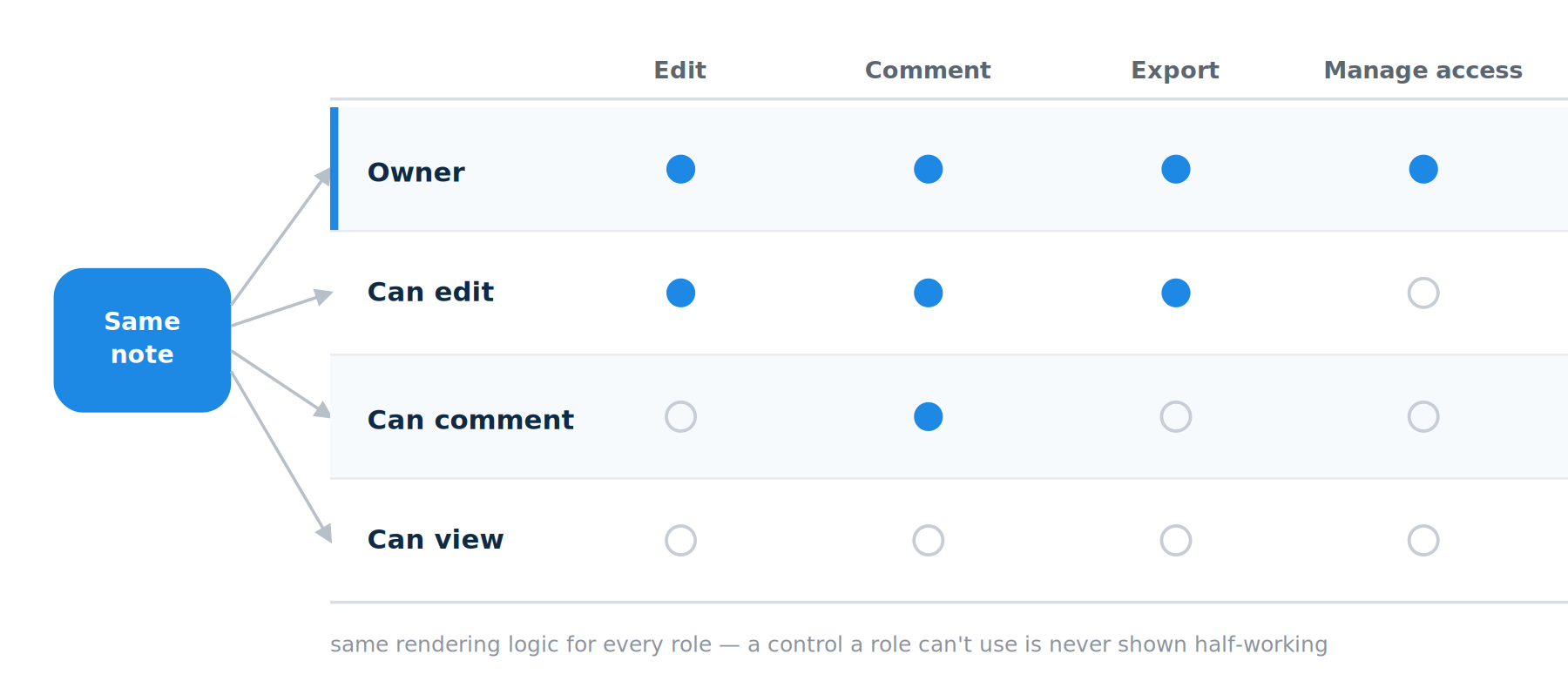
The Share and Comment icons were already in the shipped UI with no logic behind them, so I designed into the surface people would already look for. I defined four roles, Owner, Can edit, Can comment and Can view, and each one sees a different version of the same note, with only the controls its role allows. Comments anchor to highlighted transcript spans, reusing the tap-to-highlight system from Phase 2, so the transcript stays the source of truth. I also designed pending invites, invalid emails and empty states, and checked keyboard use and contrast. It's designed and prototyped end to end (see the mockups below), but not yet wired into the app's single-user data model. That's the next build phase.
EchoNote taught me to be scrappy and resilient. I designed, built and fixed it end to end, from a webm/opus recording that needed its own validation to a Chinese filename that broke storage, and I let early users tell me what mattered: three of five asked to edit the transcript. Resilience also meant being honest about the edges. The collaboration feature is designed and prototyped but not yet wired in, and I'd rather say that than pretend it shipped. Next time I'll bring users in earlier.

Designed, built and fixed it end to end, then let early users say what mattered.

Honest about the edges: collaboration is designed, not yet wired in.

Bring users in earlier. 3 of 5 asked to edit the transcript.
Thank you for reading this case study! If you’re interested, feel free to check out my other projects in "WORKS"